by Brian Thompson | Apr 22, 2026 | Breach, Identity Theft, Scams
Last Updated: April 2026 | Reading time: ~10 minutes
You already know not to click suspicious links in email. Smishing attacks, however, phishing delivered by text message, now account for 35% of all phishing attempts and grew 40% year-over-year in 2025. (SentinelOne 2026; Keepnet 2025)
Email spam filters have gotten sharper, but your text inbox is wide open. Text messages carry a 98% delivery rate, and smishing click-through rates reach as high as 36%, nearly three times the average for email phishing. (Keepnet Labs 2026)
This guide explains exactly how smishing works in 2026, what the newest attack types look like, how to spot one before you click, and what your business should do about it.
Table of Contents
- What Is Smishing?
- Why Smishing Works So Well
- Smishing by the Numbers (2025-2026)
- The Most Common Types of Smishing Attacks
- How AI Is Making Smishing More Dangerous
- Real-World Smishing: The Toll Scam Surge
- How to Recognize a Smishing Text
- How to Protect Yourself and Your Employees
- How to Report a Smishing Attempt
- Frequently Asked Questions
What Is Smishing?
Smishing, short for SMS phishing, is a cyberattack delivered by text message. Rather than targeting your email inbox, criminals send fraudulent texts designed to trick you into clicking a malicious link, revealing personal information, downloading malware, or authorizing a fraudulent payment.
The word combines “SMS” (the protocol that powers text messaging) and “phishing” (the practice of baiting victims into handing over sensitive data). At its core, it uses the same manipulation as email phishing, just on a channel where most people’s guard is lower and spam filters are weaker.
Most smishing messages impersonate someone you trust: your bank, the IRS, a package carrier, your employer, or a government agency. Attackers create urgency, then give you one easy action to take, usually a link to click or a number to call.
Why Smishing Works So Well
Smishing exploits a simple psychological truth: most people trust text messages more than email. When a text arrives from what looks like your bank or your delivery carrier, the instinct is to treat it as legitimate and respond quickly.
Three structural advantages make smishing especially effective:
- No spam filters. Email providers run billions of messages through threat detection algorithms daily. Your SMS inbox has almost none of that protection, so messages land directly and unfiltered.
- Small screens hide red flags. On a mobile screen, URLs get truncated. A link to
bankofamerica-secure-login.xin may appear as nothing more than a short string, and the visual cues that tip people off on desktops become invisible on phones. According to Zimperium’s 2024 research, 83% of phishing websites are now designed specifically for mobile screens.
- The channel feels personal. Email inboxes are crowded with marketing and spam. A text from a recognizable sender name, whether your bank, your employer’s payroll provider, or the IRS, arrives in a space normally reserved for people you actually know. That familiarity compresses the time between reading and acting.
Only 36% of Americans can correctly define what smishing is, according to Proofpoint data. Nearly two out of three people don’t know the threat exists by name, let alone know how to identify it.
Smishing by the Numbers (2025-2026)
| Statistic |
Source |
| Smishing accounts for 35% of all phishing attacks |
SentinelOne, 2026 |
| SMS-originated scams grew 40% from 2024 to 2025 |
Barclays / Keepnet, 2025 |
| 19% of breaches now originate from smishing or vishing combined |
Verizon DBIR, 2025 |
| Smishing click-through rates reach up to 36% |
Keepnet Labs, 2026 |
| Americans lost $470 million to text scams in 2024, a fivefold increase from 2020 |
FTC, 2025 |
| FBI IC3 received 59,271 toll-related smishing complaints in 2024 alone |
FBI IC3, 2025 |
| 83% of phishing websites are now designed for mobile screens |
Zimperium, 2024 |
| Smishing attacks grew to 39% of mobile threats in 2026 |
Keepnet, 2026 |
| Average financial loss per smishing victim: ~$800 |
Keepnet / industry average |
The trajectory is clear. Smishing is no longer a niche threat. It’s a primary attack vector growing faster than most organizations’ defenses can keep pace with.
The Most Common Types of Smishing Attacks
1. Credential-Stealing Texts
A message arrives claiming your bank account is locked, your PayPal password needs resetting, or your employer’s HR portal requires immediate verification. The link leads to a fake login page that looks nearly identical to the real thing. Once you enter your credentials, attackers capture them instantly, often in real time, with automated tools that relay stolen information to a live operator.
Workplace accounts are frequent targets. A smishing message disguised as an IT security alert or payroll notification can hand an attacker access to company systems before anyone realizes what happened.
2. Delivery and Package Notification Scams
One of the most persistent smishing formats involves a text claiming USPS, FedEx, or UPS has a package requiring your attention. You’re asked to “confirm your address” or “pay a small customs fee,” and the link harvests your payment details and personal information. These scams are especially effective because most people have packages in transit at any given time.
3. Toll and Government Agency Impersonation
Since late 2024, a Chinese cybercriminal network known as the “Smishing Triad” has executed one of the largest organized smishing campaigns ever documented, impersonating E-ZPass, SunPass, FasTrak, and state DMVs across at least eight states. More detail on this is in the section below.
4. MFA Bypass Attacks
Multi-factor authentication was supposed to stop credential theft. Attackers adapted. In a real-time relay attack, a criminal logs in to a target account using stolen credentials and simultaneously triggers an MFA code sent to the victim’s phone. A smishing message then asks the victim to “confirm” the code, and they enter it without realizing they’ve just handed over the final key. According to Proofpoint, at least 55% of suspected smishing messages contain malicious URLs, many designed for exactly this purpose.
5. “Call-Back” Smishing
Rather than a link, some messages contain only a phone number. The person who answers is a trained social engineer who references real details about your bank, a recent transaction, or your employer to build trust before requesting sensitive information. Because no link is involved, many people don’t recognize this format as a smishing attack at all.
6. Fake Job Offer and HR Texts
Texts impersonating HR departments, payroll providers, or recruiters are increasingly common, particularly targeting employees who’ve recently changed jobs or are listed on professional networking sites. Attackers use these messages to request direct deposit information, Social Security numbers, or benefit enrollment data.
How AI Is Making Smishing More Dangerous
For years, smishing was relatively easy to spot: awkward phrasing, generic lures, obvious typos. Generative AI has erased most of those tells.
Attackers now use AI tools to accomplish four things they couldn’t do effectively before:
- Personalize at scale. Public data, including LinkedIn profiles, company websites, and data breach databases, is fed into AI systems that generate customized messages referencing your employer, your role, your name, and even recent company news. A text reading “Hi [Name], this is [Company] payroll. We need you to verify your direct deposit account before Friday’s run” is far harder to dismiss than a generic lure.
- Remove linguistic red flags. AI-generated smishing messages are grammatically clean, contextually accurate, and tonally appropriate. The old advice of “look for bad grammar” no longer applies reliably.
- Automate RCS and iMessage delivery. RCS (Rich Communication Services) is replacing SMS as the standard protocol for Android messaging, and Chinese smishing operations have already integrated RCS into their delivery infrastructure. RCS messages can include sender branding, images, and interactive buttons, making fake bank or employer notifications significantly more convincing.
- Combine smishing with vishing. AI voice cloning tools can replicate a person’s voice from just three seconds of audio. Coordinated campaigns now use a smishing text to prime the victim, then follow up with a spoofed voice call from a “known” person, a manager or bank representative, to deliver the actual ask. Vishing surged 442% between the first and second half of 2024 (CrowdStrike, 2025).
Commercial anti-smishing tools blocked only 25-35% of threats in 2025. AI-powered detection solutions reached 96.2% rates, a gap that shows how far ahead attackers currently sit. (Keepnet, 2026)
Real-World Smishing: The Toll Scam Surge
Starting in late 2024, the FBI, FTC, and state cybersecurity agencies began issuing warnings about an unprecedented wave of smishing attacks impersonating U.S. toll collection agencies. By the end of 2024, the FBI’s Internet Crime Complaint Center had received 59,271 complaints tied specifically to toll-related smishing, and the FTC reported Americans lost $470 million to text scams that year overall, a fivefold increase from 2020.
The scam follows a consistent pattern. A text arrives claiming you have a small unpaid toll, often just $3 to $5, from E-ZPass, SunPass, FasTrak, or your state’s tolling authority. The message warns of escalating fines or license suspension if you don’t pay immediately, and the link leads to a convincing fake payment page that collects your name, address, and payment card information.
The operation behind these texts, tracked by researchers as the “Smishing Triad,” registered over 60,000 fraudulent domain names, many ending in “.xin,” and has been linked to phishing kits marketed under names like “Lighthouse” and “Darcula.” Sold on criminal forums and Telegram channels, these kits enable even low-skill attackers to run large-scale campaigns. Confirmed targets include residents of Washington, Florida, Pennsylvania, Virginia, Texas, Ohio, Illinois, and Kansas, among others.
This is not a fringe operation. It’s a professional criminal supply chain targeting everyday text messages to millions of Americans at once.
Key takeaway for employees and employers: Government agencies, toll operators, courts, and law enforcement do not collect payments via text message. If you receive one of these texts, do not click. Report it and delete it.
How to Recognize a Smishing Text
Run through these five questions before responding to any unexpected text:
1. Did I initiate this?
Legitimate authentication codes, delivery updates, and account alerts are triggered by something you did first, such as logging in, placing an order, or requesting a password reset. Any text that arrives without a preceding action on your part deserves skepticism.
2. Is there urgency or a threat?
Attackers manufacture pressure: “Your account will be closed,” “Final notice,” “Respond within 24 hours.” Legitimate organizations rarely communicate via text when immediate action is required. Official apps, secure portals, and verified phone calls are the standard channels for urgent account matters.
3. Does the link match the sender?
Before clicking, press and hold the link (don’t tap) to preview the destination URL. A message claiming to be from your bank that links to secure-update-bankofamerica.xin or any unrecognized domain is a smishing attempt. Even plausible-looking URLs can be spoofed, so when in doubt, go directly to the official website by typing it yourself.
4. Is it asking for information the sender should already have?
Your bank already has your account number. Employers already has your direct deposit details. Your delivery carrier already has your address. Any text requesting information the sender should already possess is a red flag worth taking seriously.
5. Does it ask you to reply to make a link clickable?
Some smishing campaigns instruct victims to reply with “YES” or “STOP” to activate a link. This bypasses Apple’s iMessage link-blocking feature. Never reply to unknown senders, not even to opt out.
How to Protect Yourself and Your Employees
For Individuals
- Never click links in unexpected texts. Go directly to the official website or app instead.
- Avoid replying to unknown senders. Even a one-word reply confirms your number is active and increases future targeting.
- Verify independently. If a text claims to be from your bank, call the number on the back of your card, not any number provided in the message.
- Enable spam text filtering. Both iOS and Android offer built-in filters, and most carriers provide free blocking tools as well.
- Use phishing-resistant MFA. Hardware security keys or authenticator apps that don’t rely on SMS codes are significantly harder to bypass than one-time codes sent by text.
- Report suspicious texts. Forward smishing messages to 7726 (SPAM), a free service most carriers support, and file a complaint at reportfraud.ftc.gov or ic3.gov.
For Employers and HR Teams
- Train employees on smishing specifically, not just email phishing. Most security awareness programs overlook SMS as an attack channel, and that gap is increasingly costly.
- Run smishing simulations. Behavioral training using realistic fake texts outperforms lectures. Employees who’ve been tested respond better when a real attempt arrives.
- Establish a verification protocol for financial requests. Any text requesting a wire transfer, direct deposit change, or payroll action should require verbal confirmation through a known phone number, no exceptions.
- Audit which employees have work credentials tied to personal phone numbers. MFA codes sent to personal devices are a bypass risk if that device is compromised through a smishing attack.
- Offer identity theft protection as an employee benefit. When smishing succeeds, and sometimes it does even against trained employees, recovery speed matters. Employees with access to live restoration advocates can contain damage significantly faster than those navigating the process alone.
How to Report a Smishing Attempt
Reporting helps authorities track campaigns, take down fraudulent domains, and warn others. Here’s where to go:
- Forward the text to 7726 (SPAM), supported by most major U.S. carriers and free to use.
- File a complaint with the FTC at reportfraud.ftc.gov
- Report to the FBI’s IC3 at ic3.gov, particularly important for toll scams and financial fraud.
- Notify your mobile carrier directly if you’re receiving repeated attacks from the same number or domain.
- If you clicked a link or shared information, visit IdentityTheft.gov for step-by-step recovery guidance.
Frequently Asked Questions About Smishing
What is the difference between smishing and phishing?
Phishing is a broad term for social engineering attacks that trick victims into revealing sensitive information. Smishing is specifically phishing delivered via SMS or text message. Both rely on manipulation and deception, but smishing exploits the higher trust and weaker defenses associated with text messaging. Email phishing has the advantage of volume; smishing has the advantage of immediacy and a personal feel. The two are increasingly combined in coordinated multi-channel attacks.
Can smishing attacks install malware on my phone?
Yes. Some smishing messages contain links leading to sites designed to download malicious apps or exploit browser vulnerabilities. On Android devices in particular, attackers may direct victims to install APK files, which are apps from outside the official app store, that grant full access to contacts, messages, and stored credentials. iOS devices are harder to compromise through malware downloads, but smishing remains effective as a credential-harvesting and social engineering tool regardless of device type.
Why are smishing attacks increasing so fast?
Several factors are converging at once. AI tools lower the cost and effort of creating personalized, convincing messages. Phishing kits sold on criminal forums enable low-skill attackers to run large-scale campaigns. RCS and iMessage deliver richer, more believable messages than traditional SMS. On top of that, most people still don’t recognize smishing as a category of threat. The explosive growth of mobile-first communication combined with the relative weakness of carrier spam filtering has created conditions that are nearly ideal for attackers.
How do attackers get my phone number?
Smishing campaigns draw from multiple sources: data breaches that exposed phone numbers (major breaches in 2024 and 2025 collectively exposed hundreds of millions of records), scraped social media profiles, purchased marketing lists, randomly generated number ranges targeted by automated dialers, and numbers leaked through third-party apps. Your number can end up in an attacker’s database without you having done anything wrong.
What should I do if I already clicked a smishing link?
Act immediately. If you entered credentials, change your passwords on the affected account and any account sharing the same password, enable MFA if it wasn’t already active, and alert your bank or employer depending on what information was involved. If you entered payment card data, contact your card issuer to freeze the card and dispute any fraudulent charges. In both cases, run a security scan on your device, monitor your accounts closely for the next 30 days, and file a report at IdentityTheft.gov. If a workplace account or work-related credentials were involved, notify your IT or security team right away because time matters for containing a potential breach.
Do smishing attacks target businesses specifically?
Yes, and with increasing sophistication. Business-targeted smishing includes payroll redirect fraud, W-2 and HR data theft, wire transfer authorization scams impersonating executives, and credential theft targeting employees with access to company systems. Verizon’s 2025 Data Breach Investigations Report found that 19% of breaches now involve smishing or vishing as an entry vector. Small businesses face particular exposure because they’re less likely to have formal verification protocols for financial and credential requests.
Is there software that protects against smishing?
Yes, though no tool provides complete protection. Mobile threat defense (MTD) solutions can detect malicious links before they load. Carrier-level filtering blocks many known smishing domains, and email and communication security platforms increasingly include SMS monitoring for enterprise deployments. Commercial solutions achieved 25-35% blocking rates in 2025, while AI-powered tools reached 96.2%, but that still means a meaningful percentage of attacks get through. Technology reduces risk; awareness and verification habits are what actually eliminate it.
by Brian Thompson | Apr 16, 2026 | Identity Theft, Students
Last Updated: April 2026 | Reading time: ~11 minutes
College student identity theft peaks every spring, and most parents don’t see it coming. Your student is filing taxes for the first time, renewing financial aid, accepting a summer job offer, and moving out of a dorm — all within a few weeks. Each of those moments involves handing a Social Security number to someone new. Often on campus Wi-Fi. Often without a second thought.
This guide is for parents and HR professionals who want to understand that risk and close it before it costs someone.
Table of Contents
- Why Colleges Are a Top Target for Identity Thieves
- The 5 Moments That Put Your College Student at Highest Risk Right Now
- Why College Student Identity Theft Goes Undetected for So Long
- What Smart Parents and HR Teams Are Doing Differently
- Frequently Asked Questions
Why Colleges Are a Top Target for Identity Thieves
Universities sit at a uniquely dangerous intersection. They hold enormous amounts of sensitive personal data: Social Security numbers, financial aid records, tax information, health data, and immigration documents. They also run chronically underfunded cybersecurity programs. The Cybersecurity and Infrastructure Security Agency (CISA) calls this combination “target-rich, cyber-poor.”
The 2025 numbers make that label feel like an understatement. In the second quarter alone, attackers hit the education sector at an average of 4,388 cyberattacks per organization per week, more than any other industry globally. Not per year. Per week.
The breaches that followed were significant:
- Columbia University (June 2025): A politically motivated threat actor spent over two months inside Columbia’s network before anyone detected the intrusion. Attackers exfiltrated approximately 460 gigabytes of data and compromised 868,969 individuals including students, applicants, alumni, and employees. Stolen data included Social Security numbers, FAFSA files, academic histories, insurance records, and in some cases health information.
- University of Phoenix (August-November 2025): Attackers exploited a zero-day vulnerability in Oracle E-Business Suite, the system universities use to manage tuition, payroll, and student aid. They pulled data on 3,489,274 people including current students, former attendees, and staff. The university didn’t discover the breach until November 2025, three months after it started.
- University of Pennsylvania (October 2025): A single compromised account gave attackers a foothold. They moved laterally across systems, exposing student, donor, alumni, and employee records. Federal class action lawsuits followed within days of disclosure.
These are not isolated incidents. Criminals target higher education precisely because universities hold valuable data and take a long time to detect intrusions.
A Georgia State University fraud expert published research in early 2026 showing that criminals routinely hold stolen university data for months or years before using it. Bank applications using breached university email credentials spiked sharply in 2025 and into 2026, with fraud peaking well after the original breach made headlines. Most universities offer one year of complimentary credit monitoring after a breach. That coverage typically expires before the fraud begins.
Your student’s data may already be circulating. The question is what you’ve done to limit what a thief can do with it.
The 5 Moments That Put Your College Student at Highest Risk Right Now
College student identity theft risk doesn’t spread evenly across a school year. It concentrates at specific moments when students must share sensitive information with new people, new systems, or new employers. April through June is when those moments cluster.
1. FAFSA Renewal
The Free Application for Federal Student Aid collects Social Security numbers, tax return data, bank account information, and detailed family financial records. Students submit it online, often from shared devices or unsecured networks. The data flows through systems that criminals have breached repeatedly. In 2025, federal student loan identity theft jumped 195% year over year. Non-federal student loan fraud rose 74% over the same period.
2. Summer Job and Internship Offer Acceptance
Accepting a job means completing a W-4, an I-9, and a direct deposit form, all within the first few days. Students hand their Social Security number, bank routing number, and government ID to an organization they’ve never dealt with before. They often submit everything by email or through an HR portal they’re logging into for the first time. If the employer’s onboarding system is poorly secured, or the student is on campus Wi-Fi when they submit, the exposure window is wide open.
3. Moving Out of Dorms
Move-out season is a physical security problem most cybersecurity conversations miss entirely. Students leave mail in communal boxes — credit card offers, bank statements, financial aid notices — and toss documents into shared recycling bins without shredding them. A thief doesn’t need to hack a server to steal an identity from a college campus in May. They need a recycling bin and five minutes.
4. Filing Taxes for the First Time
For many students, spring semester is the first time they’ve filed a tax return on their own. That inexperience creates two problems. First, they’re more likely to fall for IRS impersonation scams. Second, they may file late — giving a fraudster who already has their SSN time to file a return in their name and collect the refund. The IRS flagged 2 million tax returns for possible identity fraud in 2025. Tax-related identity theft victims wait nearly two years for resolution on average.
5. Campus Wi-Fi During Finals and Move-Out
University networks run under maximum stress during finals and move-out weeks, and face maximum attack volume at the same time. Students submit financial documents, log into bank accounts, and complete onboarding paperwork on networks that thousands of automated attacks probe every day. Campus Wi-Fi during high-traffic periods ranks among the most dangerous places to conduct sensitive transactions.
Why College Student Identity Theft Goes Undetected for So Long
The most dangerous feature of identity theft targeting college students isn’t the theft itself. It’s how long it takes to surface.
Young adults between 18 and 24 check their credit infrequently, if ever. They don’t yet have the baseline financial activity that makes anomalies obvious. A fraudulent credit card opened in their name in April may not surface until they apply for an apartment in October and get denied, or until they try to finance a car after graduation and discover a destroyed credit profile they knew nothing about.
That delayed detection window is exactly what criminals count on. The Georgia State research found that fraud activity using stolen .edu-linked credentials peaks well after the breach that produced them — often a year or more later. Criminals acquire data in bulk, hold it, and deploy it when monitoring has lapsed and victims have moved on.
There’s also a structural problem most students and parents aren’t aware of. Active .edu email addresses are increasingly used to apply for bank accounts and lines of credit. Financial institutions have historically treated .edu addresses as credibility signals. Fraudsters know this and exploit it. Researchers now recommend that universities deactivate .edu email access immediately upon graduation, but most don’t.
A student who graduated two years ago, never checked their credit, and still has an active .edu address may be more exposed today than when they were enrolled. This is not a problem a 20-year-old will solve on their own. It takes a parent, an employer, or both, to put the right protections in place.
What Smart Parents and HR Teams Are Doing Differently
There are three tiers of response, and the right one depends on your role and your student’s situation.
What Parents Can Do to Prevent College Student Identity Theft
Freeze their credit now, before anything else. A credit freeze is free, takes about 15 minutes across the three major bureaus (Equifax, Experian, TransUnion), and is the single most effective tool for preventing new account fraud. No one can open new credit accounts using a frozen file, even with your student’s full Social Security number. The freeze lifts in minutes for legitimate applications and reinstates immediately after. There is no reason not to do this today.
Have an explicit conversation about the five risk moments above. Students often don’t know that emailing a Social Security number is risky, that campus Wi-Fi is unsecured, or that their FAFSA data flows through repeatedly breached systems. The conversation takes ten minutes and changes behavior.
Set up a forwarding address before move-out. Bank statements, credit card offers, and IRS correspondence should never go to a dorm address. Make sure your student’s financial accounts route mail to your home address or a permanent P.O. box before they move out each spring.
Check whether a credit file already exists in their name. Students shouldn’t have credit files. If one exists, it may indicate past fraud. Each bureau allows a free annual credit report check at AnnualCreditReport.com.
What Employers and HR Teams Can Do
If you manage benefits for an organization with employees who have college-age family members, identity protection is one of the most underutilized voluntary benefits available.
Here’s what most HR teams don’t communicate clearly enough: many employer-sponsored identity theft protection plans cover the entire family, including college-age dependents, under a family plan. Employees on individual coverage often don’t realize they can upgrade and extend protection to a 20-year-old at a university that just suffered a major breach.
This is worth a direct communication to your workforce, particularly in April and May when the risk is highest. A single paragraph in your next benefits newsletter reminding employees to check whether their plan covers dependents could save someone a two-year identity recovery process.
For organizations without a current identity protection benefit: the enrollment conversation is most compelling in spring, when breach headlines are fresh and employees are thinking about their college students. The cost per employee is low. The goodwill and retention value are high. The liability exposure of doing nothing is real.
What to Look for in an Identity Protection Service
Not all identity protection services are built the same way. Whether you’re a parent buying coverage or an HR team selecting a benefit provider, these are the features that actually matter:
- Dark web monitoring: Stolen credentials from university breaches circulate on dark web marketplaces for months before criminals deploy them. Real-time dark web scanning gives early warning that a student’s data is in circulation.
- SSN and credit file monitoring: Flags new accounts, inquiries, or changes on a credit file — the earliest signal of new account fraud.
- Fully managed recovery: When fraud happens, recovery involves dozens of calls, letters, dispute filings, and follow-ups across multiple institutions. A service that assigns a dedicated recovery advocate who handles that process on the victim’s behalf is categorically different from one that hands over a checklist and a phone number. For a college student without the time or experience to navigate recovery alone, this distinction is everything.
- Family plan coverage: Confirm that dependents, including college students, are covered under the plan.
- U.S.-based support with real response times: Identity theft is a crisis. Measure the service on answer times and resolution rates, not just features listed on a sales page.
Frequently Asked Questions
Can I freeze my college student’s credit without their involvement?
Once your student turns 18, they are a legal adult and must initiate their own credit freeze. The process is straightforward. They can complete it online at each of the three major bureaus (Equifax, Experian, TransUnion) in about 15 minutes. It is free. Walk them through it over the phone if needed. The freeze lifts for any legitimate credit application and reinstates immediately after.
What should my student do if they think their SSN was exposed in a campus data breach?
Start by freezing their credit at all three bureaus. This stops new accounts from opening even if someone has their full Social Security number. Next, place a fraud alert, which requires creditors to verify identity before opening new accounts. Then check their credit report at AnnualCreditReport.com for accounts or inquiries they don’t recognize. If they have identity theft protection coverage, contact the recovery team right away, even before fraud appears. Early intervention dramatically shortens recovery time.
Does my employer’s identity theft protection benefit cover my college-age children?
Many employer-sponsored plans offer family coverage that includes college-age dependents, but most employees never ask. Check whether your current coverage is individual or family. If you’re on an individual plan, ask HR whether a family upgrade is available and what dependents it covers. If your employer doesn’t currently offer identity protection, it’s worth raising — particularly given the current breach environment targeting universities.
How long after a university data breach does fraud typically appear?
Longer than most people expect. Fraudsters routinely wait months to years after acquiring breached university credentials before using them — specifically because victims stop monitoring after the standard one-year complimentary credit monitoring expires. If your student’s university suffered a breach, their exposure window extends well beyond the notification period. Long-term monitoring is more protective than short-term vigilance.
What is the difference between credit monitoring and full identity theft protection?
Credit monitoring alerts you when changes appear on your credit report such as new accounts, inquiries, and address changes. It is detection only. Full identity theft protection adds dark web monitoring, SSN monitoring across a broader range of databases, and managed recovery services. A recovery advocate handles the dispute and restoration process on your behalf. For a college student without the time or experience to manage that process, the recovery component is the most valuable part of the service.
The Window Is Open Right Now
College student identity theft risk peaks every April through June — and it’s open right now. Students are filing taxes, accepting job offers, renewing financial aid, and moving out of dorms. It’s also when protection is most often an afterthought, because the school year feels like it’s winding down.
The first step isn’t complicated. Have the conversation with your student this week, walk them through a credit freeze at all three bureaus, and check whether your employer’s family plan covers them. Those three actions, taken today, meaningfully reduce the risk of a problem that takes two years and real financial damage to undo.
If you’re an HR professional evaluating identity protection as a voluntary benefit, or a parent who wants to understand what full family coverage looks like, defend-id works with employers to provide identity theft protection and recovery services for employees and their families. The recovery advocacy model — real people, U.S.-based, assigned to your case — is what matters most when something actually goes wrong.
Articles related to college student identity theft
by Brian Thompson | Apr 8, 2026 | Identity Theft
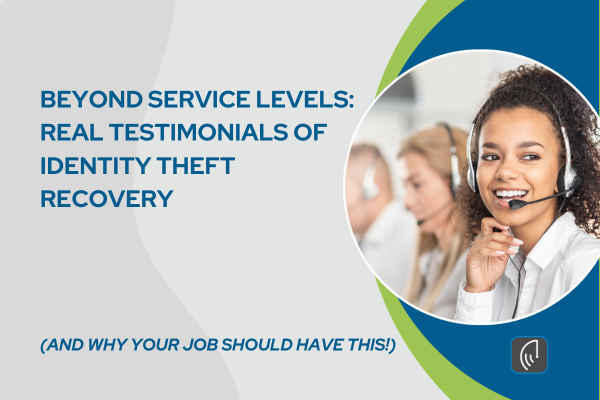
When identity theft strikes, the first call to your recovery service sets the tone for everything that follows. Either someone picks up fast, takes ownership, and guides you through it…or you’re left holding a problem you don’t know how to solve alone.
At defend-id, our advocates are built around one standard: every member who calls deserves a real expert, fast. Here’s how Q1 2026 measured up.
Q1 2026 Service Level Results
| Metric |
Q1 Result |
Goal |
| Abandon Rate |
1.8% |
≤ 3% |
| Average Speed to Answer |
14 seconds |
≤ 20 seconds |
| Calls Answered in 20 Seconds or Less |
84.3% |
≥ 80% |
Every metric beat its goal. But the number that matters most isn’t on this table — it’s in what members said afterward.
What Members Are Saying
“I never knew that there was such a thing as a Fraud Advocate. Your patience, kindness, efficiency and professionalism was a major support in a situation where one feels powerless.” — Anne C.
“I was very confused, scared, and didn’t really know what to do. I expected the process to take weeks. Instead, my Recovery Advocate did most of the work for me, and very quickly.” — Angela L.
“I truly believe that you saved me a lot of trouble from being scammed. I thank God for you.” — Bethsheba T.
“The advocate was extremely helpful, incredibly informative, and very professional.” — Lucia S.
“Our Advocate was knowledgeable, patient, courteous and easy to speak with. He is definitely a top asset.” — Nola D.
“My Advocate did such a good job resolving all my issues, and so very quickly.” — Barbara H.
These aren’t people with minor billing questions. They’re people in crisis. And in every case, one call changed the experience entirely.
Why This Matters for Your Workforce
A single identity theft incident can consume 30 to 100+ hours of an employee’s time to resolve alone. That’s distraction, absenteeism, and anxiety that follow someone to work every day.
When a dedicated advocate answers in 14 seconds and handles the case from first call to full resolution, that spiral stops. Employees stay focused. HR isn’t fielding panicked calls. And the benefit your company invested in actually delivers when it counts.
At roughly $5 per employee per month, identity theft protection is one of the highest-ROI additions to any benefits package. Q1 shows why.
Want to learn more about adding fully managed identity theft recovery to your employee benefits? Start here.
by Brian Thompson | Apr 1, 2026 | Breach, Identity Theft
Last Updated: April 2026 | Reading time: ~12 minutes
In March 2026, a ransomware gang hit BridgePay Network Solutions, a payment processor serving local governments and small businesses across the U.S. Systems went down. Customers couldn’t process transactions. And BridgePay scrambled for weeks to restore infrastructure. That same month, identity protection company Aura confirmed that a single employee fell for a voice phishing call, exposing personal data for roughly 900,000 people. No malware. No exploit. Just a convincing phone call.
These aren’t outliers. They’re Tuesday.
Small and mid-sized businesses now account for 63% of all data breaches tracked since January 2025, according to Proton’s 2026 SMB Cybersecurity Report. The SonicWall 2026 Cyber Protect Report found that 88% of SMB breaches involved ransomware, more than double the rate at large enterprises. And for the first time, cyberattacks now rank as the #1 business concern for SMBs, surpassing inflation, recession fears, and hiring challenges (VikingCloud, 2026).
Yet only 26% of small businesses have a formal incident response plan. That gap between risk and readiness is where businesses get destroyed, not by the breach itself, but by the chaos that follows.
This small business post-breach playbook gives you a step-by-step framework for the critical first hours and days after a data breach. Whether you have two employees or two hundred, these are the actions that separate businesses that recover from those that don’t.
(more…)
by Brian Thompson | Mar 25, 2026 | Breach, Identity Theft, Scams
Phishing remains the most reported cybercrime in the United States. In 2024, the FBI’s Internet Crime Complaint Center (IC3) received 193,407 phishing complaints — more than double any other crime category — while total cybercrime losses hit a record $16.6 billion.
The old advice — “just look for typos and bad grammar” — no longer works. AI-generated phishing emails are now grammatically flawless, hyper-personalized, and nearly indistinguishable from legitimate messages. This guide covers what phishing looks like today, how attacks have evolved, and what your organization can do to build real phishing awareness and prevention.
What Is Phishing?
Phishing is a form of social engineering where attackers impersonate trusted entities — banks, coworkers, software providers, even government agencies — to trick people into revealing sensitive information or installing malware.
The attack typically arrives as an email, but increasingly comes through text messages (smishing), phone calls (vishing), and even QR codes (quishing).
What makes phishing so effective isn’t technical sophistication — it’s psychological manipulation. Attackers exploit urgency, fear, authority, and trust to get you to act before you think. A message that says “Your account will be suspended in 24 hours” isn’t trying to inform you. It’s trying to panic you into clicking.
Phishing by the Numbers: 2025–2026 Statistics
The following data comes from the FBI IC3 2024 Annual Report, Verizon’s 2025 Data Breach Investigations Report (DBIR), the Anti-Phishing Working Group (APWG), and IBM’s Cost of a Data Breach Report.
| Metric |
Figure |
Source |
| Phishing/spoofing complaints to FBI (2024) |
193,407 |
FBI IC3 2024 |
| Total U.S. cybercrime losses (2024) |
$16.6 billion (+33% YoY) |
FBI IC3 2024 |
| Business Email Compromise losses (2024) |
$2.77 billion |
FBI IC3 2024 |
| Average cost per phishing breach |
$4.88 million |
IBM 2025 |
| Breaches involving human action |
60% |
Verizon 2025 DBIR |
| Phishing attacks recorded (Q2 2025) |
1.13 million |
APWG |
| Ransomware present in breaches |
44% (up from 32%) |
Verizon 2025 DBIR |
| Employees susceptible to phishing (no training) |
33.1% |
KnowBe4 2025 |
| Phishing susceptibility reduction with training (1 year) |
Up to 86% |
KnowBe4 2025 |
Why Phishing Awareness and Prevention Matter More Than Ever
Technology alone cannot stop phishing. Spam filters, email gateways, and AI-based detection tools all help — but attackers design their campaigns specifically to bypass these defenses. The 2025 Verizon DBIR found that approximately 60% of all confirmed breaches involved a human action: a click, a download, a response to a spoofed email.
The data on training is compelling. KnowBe4’s 2025 benchmark report — based on 14.5 million users and 67.7 million simulated phishing tests — found that one-third of untrained employees will fall for a phishing simulation. But organizations running ongoing security awareness programs see susceptibility drop by up to 86% within a year.
Verizon’s data adds an important nuance: you can’t train people to never click. The median phishing simulation click rate holds steady at about 1.5% even with training. But recently trained employees report suspicious emails at a rate of 21%, compared to just 5% for those without recent training. That four-fold improvement in detection and reporting is where the real value lives.
Your people aren’t just the weakest link — with consistent training, they become a rapid-response detection network that catches what automated filters miss.
Types of Phishing Attacks to Watch For
Email phishing remains the most common vector. Bulk messages impersonate trusted brands to harvest credentials or deliver malware. In Q1 2025, Microsoft was impersonated in 36% of all brand phishing incidents worldwide, followed by Google (12%) and Apple (8%).
Spear phishing targets specific individuals with personalized messages. Attackers research their targets on LinkedIn, company websites, and social media to craft emails that reference real projects, colleagues, or events.
Business Email Compromise (BEC) is the most financially devastating variant. Attackers impersonate executives or vendors to authorize wire transfers or redirect payments. The FBI reported $2.77 billion in BEC losses in 2024, with nearly $8.5 billion lost over the 2022–2024 period alone. In 2025, 73% of BEC attacks originated from free webmail services.
Smishing and vishing use text messages and phone calls instead of email. CrowdStrike observed a 442% increase in vishing incidents between early and late 2024. These attacks exploit the trust people place in phone-based communication and the fact that mobile screens hide full URLs. For a deeper look, read our guide on how smishing attacks work and how to prevent them.
Quishing (QR code phishing) embeds malicious links in QR codes placed in emails, flyers, or physical locations. Because the link is encoded in an image rather than text, it bypasses many traditional email security filters. QR code phishing attacks surged an estimated 400% between 2023 and 2025, with energy, healthcare, and manufacturing sectors hit hardest.
Clone phishing takes a legitimate email you’ve already received, copies it, and replaces a link or attachment with a malicious version. Because the message looks identical to something real, it’s especially hard to detect.
MFA bypass attacks use adversary-in-the-middle (AiTM) techniques to intercept session cookies in real time, effectively neutralizing multi-factor authentication. AiTM attacks targeting MFA surged 146% in 2024.
How to Spot a Phishing Email: A Checklist
Use this checklist before acting on any suspicious message:
1. Check the sender’s actual email address. Display names are easily spoofed. Click or hover to reveal the full address. Watch for slight misspellings like support@arnazon.com instead of support@amazon.com.
2. Look for urgency or threats. Messages demanding immediate action — “Your account will be locked,” “Payment overdue,” “Respond within 24 hours” — are using fear to override your judgment. Legitimate organizations rarely communicate this way.
3. Hover over links before clicking. On desktop, preview the destination URL before clicking. If the URL doesn’t match the organization the email claims to be from, don’t click. Be especially cautious with shortened URLs (bit.ly, tinyurl) that hide the true destination.
4. Question unexpected attachments. PDF and Word attachments that arrive without context are a common malware delivery method. If you weren’t expecting a file, verify with the sender through a separate channel before opening it.
5. Watch for generic greetings in “personal” messages. An email from your bank that says “Dear Customer” instead of your name may be a mass phishing campaign. However, be aware that AI-powered phishing can now personalize greetings — a correct name alone doesn’t guarantee legitimacy.
6. Be skeptical of QR codes in unexpected places. Whether it’s in an email, on a parking meter sticker, or on a restaurant table card — check the URL a QR code loads before entering any information.
7. Watch for mismatched tone or context. An email from your CEO asking you to buy gift cards. A vendor suddenly changing their payment details. A coworker sending a link with no explanation. When something feels off, trust that instinct and verify.
Phishing Prevention Best Practices for Organizations
Run regular phishing simulations. Don’t train once a year and call it done. Conduct quarterly or monthly simulated phishing campaigns that mirror real-world attack patterns. Track click rates and reporting rates. The goal isn’t zero clicks — it’s faster detection and reporting.
Deploy multi-factor authentication — and understand its limits. MFA significantly reduces credential theft risk. But AiTM proxy attacks can bypass traditional MFA methods like SMS codes and push notifications. Where possible, adopt phishing-resistant MFA like FIDO2 hardware keys or passkeys, which are immune to session hijacking.
Implement email authentication protocols. Configure SPF, DKIM, and DMARC on your organization’s domains. CISA specifically recommends these protocols to prevent email spoofing. They won’t stop all phishing, but they make it significantly harder for attackers to impersonate your domain.
Verify through a separate channel. If an email requests a wire transfer, password reset, or sensitive data — even if it appears to come from your CEO — pick up the phone and confirm using a known number. Never use contact information provided in the suspicious email itself.
Build a reporting culture. Don’t just tell employees to delete suspicious emails — give them a simple way to report them. Forward phishing attempts to your IT or security team so they can block the sender, alert the organization, and improve filtering. Verizon’s 2025 data shows that building a reporting culture delivers more security value than trying to eliminate all clicks.
Keep software and systems updated. Phishing often delivers malware that exploits known vulnerabilities. Timely patching closes these doors. The 2025 Verizon DBIR found that vulnerability exploitation now accounts for 20% of all breaches, and for edge devices like VPNs, attackers often exploit flaws on the same day they’re published.
Protect your business data with layered defenses. No single tool stops phishing on its own. Combine email filtering, endpoint detection, DNS-level blocking, MFA, and employee training into a defense-in-depth strategy.
AI-Powered Phishing: What’s Changed
Generative AI has fundamentally shifted the phishing landscape. Attackers no longer rely on volume alone — they can now produce polished, context-aware, multilingual messages in minutes. IBM estimates that a convincing phishing email can be generated in about five minutes using AI tools, compared to roughly sixteen hours for a human team.
The data reflects this shift. Over 82% of phishing emails detected between September 2024 and February 2025 showed indicators of AI assistance. During the 2025 holiday season, Hoxhunt’s threat detection network observed AI-generated phishing jump from about 4% of detected phishing emails in November to 56% in December — a 14x surge.
AI is also powering deepfake scams: cloned executive voices used in fraudulent phone calls that blend vishing with BEC. These attacks are still relatively rare, but growing.
For a deeper look at how generative AI has changed attack methods and what your organization can do about it, read our full guide: AI-Powered Phishing Attacks: How Generative AI Is Changing Scams.
Frequently Asked Questions About Phishing
What is the most common type of phishing attack?
Email phishing remains the most widespread method. The FBI received 193,407 phishing and spoofing complaints in 2024 — more than any other cybercrime category. However, attacks via text message (smishing) and phone calls (vishing) are growing rapidly.
How much does a phishing attack cost a business?
The average cost of a phishing-related data breach is $4.88 million, according to IBM’s 2025 Cost of a Data Breach Report. Business Email Compromise attacks alone caused $2.77 billion in losses in the U.S. in 2024.
Does security awareness training actually reduce phishing risk?
Yes. KnowBe4’s 2025 report found that one-third of untrained employees fall for simulated phishing, but organizations with ongoing training reduce susceptibility by up to 86% within a year. Verizon’s data shows trained employees are four times more likely to report suspicious emails.
Can phishing bypass multi-factor authentication (MFA)?
Yes. Adversary-in-the-middle (AiTM) attacks can intercept session cookies and bypass traditional MFA methods like SMS codes or push notifications. Phishing-resistant MFA — such as FIDO2 hardware keys or passkeys — is the most effective defense against these attacks.
What should I do if I clicked a phishing link?
Disconnect from the network immediately. Change your passwords from a known-safe device. Enable or reset MFA on affected accounts. Report the incident to your IT or security team. Monitor your accounts and consider enrolling in an identity theft protection service.
What is quishing?
Quishing is phishing delivered via QR codes. Attackers place malicious QR codes in emails, physical flyers, or even on top of legitimate QR codes in public places. Scanning the code takes you to a credential-harvesting or malware-delivery site. These attacks surged an estimated 400% between 2023 and 2025.
Last updated: March 2026
Related reading from Defend-ID: