by Brian Thompson | Apr 24, 2024 | Breach, Employee Benefits, Identity Theft
The need for robust identity theft protection is critical as businesses face growing cyber threats.. Annually, millions are affected by identity fraud, with businesses bearing a substantial brunt—both in terms of compromised employee data and overall organizational integrity. Beyond a mere perk, identity theft protection is essential for maintaining productivity, safeguarding sensitive information, and attracting and retaining top talent.
Benefits of Identity Theft Protection for Businesses:
- Reduced Employee Disengagement: Studies show resolving identity theft issues can take 100-200 hours, leading to decreased focus and productivity. Identity theft protection services help mitigate these disruptions, allowing employees to concentrate on their work without the added stress of personal security breaches.
- Enhanced Corporate Security: Employee identity theft can lead to broader data breaches affecting company data and client trust. Offering identity theft protection helps reduce the risk of such breaches, strengthening your cybersecurity posture and shielding both employee and corporate data from cyber threats.
- Ongoing Security Education: Identity theft protection programs include education on the latest security practices and vulnerabilities. This proactive approach empowers employees to safeguard their personal and professional data, contributing to overall corporate security.
- Safeguarding Corporate Information: Identity theft protection services monitor and alert employees about suspicious activities linked to corporate assets like credit cards and login credentials. This monitoring helps prevent unauthorized access, protecting sensitive data from cybercriminals.
- Attracting and Retaining Top Talent: Offering identity theft protection as a benefit can significantly enhance your company’s appeal to prospective employees, particularly millennials, who are projected to make up 75% of the workforce by 2025. Modern benefits like these demonstrate a company’s commitment to employee well-being, making them attractive places to work.
Building Trust and Loyalty:
A company’s reputation is bolstered by offering identity theft protection. This benefit showcases that a company cares about its employees’ safety and personal data, which can improve trust and loyalty among current employees and attract new ones.
Beyond Individual Protection:
Identity theft protection services go beyond individual protection, enhancing overall corporate security. They provide tools that monitor and report potential security breaches, not just internally but also on external platforms like social media and the dark web, where stolen data can be found.
Early Detection and Fast Resolution:
Identity theft protection services specialize in the early detection of identity threats, critical for minimizing damage. They monitor various channels to quickly identify and address potential threats before they escalate into serious issues.
Comprehensive Protection Features:
Many identity theft protection plans offer features beyond basic monitoring, including:
- Credit Lock: to restrict access to your credit report and prevent unauthorized accounts from being opened.
- Social Media Monitoring: to track your social media profiles for suspicious activity.
- Password Management Tools: to securely store and manage strong passwords.
These features provide layered security, helping employees protect their digital footprints from potential cyber threats.
Financial Protection and Support:
Financial recovery from identity theft can be daunting. Most identity theft protection services include insurance to cover financial repercussions like legal fees and lost wages, providing essential support during recovery. They also offer mitigation services like dark web monitoring and many others. The most important factor is their ability to help employees recover when fraud does occur!
Investing in identity theft protection is more than a security measure. It is a strategic business decision that enhances your corporate image, increases data privacy, and ensures a resilient organizational culture.
Ready to fortify your business against identity theft? Download your free Defend-ID Identity Theft Response Plan now and take a pivotal step toward comprehensive business security and employee satisfaction!
Articles related to identity theft protection for businesses:
by Brian Thompson | Apr 3, 2024 | Breach, Identity Theft
Cyber threats are as common as coffee breaks, making the myth that cybersecurity falls solely within the world of IT is a terrible oversight. It’s a wide-reaching challenge touching every role from the ground floor to the executive suite. This article aims to dismantle the outdated view of cybersecurity, highlighting the essential role of identity theft protection and individual responsibility in creating a secure digital environment for businesses. Cybersecurity- More Than Just IT’s Job
Everyone Has a Part to Play
Gone are the days when cybersecurity efforts are the sole responsibility of the IT department. In today’s workplace, a single click on a malicious link by any employee can open the floodgates to cyber threats. It’s a reality that highlights the importance of every team member’s role in cybersecurity.
Employees at all levels frequently handle sensitive data, making identity theft protection an essential element of an organization’s overall cybersecurity strategy. Simple habits, such as regularly updating passwords, recognizing phishing attempts, and securely managing personal and professional information, can significantly reduce the risk of identity theft and data breaches.
Training: First Line of Defense
Knowledge is essential when it comes to protecting against cyber threats. Regular, engaging training sessions can transform cybersecurity from an abstract concept to a fundamental practice embraced by all. These sessions should not only cover the basics of cyber hygiene but also the nuances of identity theft and how individuals can safeguard their digital personas.
An environment where cybersecurity is discussed openly and questions are encouraged can demystify the subject, making it more approachable for everyone. Remember, a well-informed employee is an organization’s first line of defense.
Leadership’s Role
The tone for cybersecurity readiness is set at the top. Leadership’s commitment to cybersecurity is critical. Allocating resources for security initiatives, setting clear policies, and fostering a culture where security is everyone’s business, leaders can elevate cybersecurity from a niche IT concern to a universal priority.
Executives and managers should lead by example, demonstrating good cyber practices and actively participating in training sessions. This not only reinforces the importance of cybersecurity but also signals to every employee that their role in protecting the organization is valued and vital.
Cultivating a Culture of Security
Building a culture that prioritizes cybersecurity requires more than just annual training sessions; it demands a shift in mindset. Recognizing and rewarding employees who adhere to security practices can motivate others to follow suit. Similarly, creating channels for reporting suspicious activities without fear of retribution encourages a proactive stance against cyber threats.
Such a culture not only enhances the organization’s resilience against cyber attacks but also fosters an environment where security becomes second nature and part of the daily activities of every employee.
The Collective Shield
The narrative that cybersecurity is an exclusive domain of the IT department must be left in the past. With cyber threats becoming more sophisticated, the responsibility falls on each of us. Every employee, from new hires to the CEO, must understand cyber risks. Embedding strong identity theft protection is crucial for all.
Emphasizing collective responsibility for cybersecurity fosters an environment where everyone is empowered to contribute to the digital safety of the organization. It transforms cybersecurity from a daunting challenge into a shared mission, reinforcing the idea that, together, we are a formidable shield against cyber threats.
Cybersecurity- More Than Just IT’s Job
Dismantling the myth that cybersecurity is just IT’s job is no small feat, but it’s a necessary step toward building more protected organizations. We must embrace our roles and focus on strong identity theft protection. Fostering a culture of security awareness will safeguard our digital realms.
Get your identity theft response plan here:  https://defend-id.ac-page.com/employee-identity-theft-response-plan?test=true
Articles related to “Cybersecurity- More Than Just IT’s Job”
by Brian Thompson | Jan 31, 2024 | Breach, Identity Theft
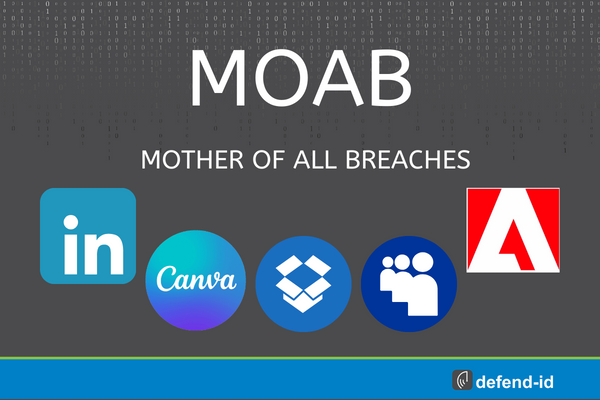
Businesses and organizations take note! The “Mother Of All Breaches,” involving an unprecedented 26 billion records, isn’t just a personal concern; it’s a corporate crisis. This breach, compromising data from major platforms, poses serious risks to both individual users and organizations. Dive into our mother of all breaches business data security tips.
Understanding the Breach: A Business Perspective
This isn’t just about leaked emails and passwords. The “Mother Of All Breaches” is a complex aggregation of multiple incidents, presenting a unique challenge for businesses. The breach’s vast scope means sensitive employee data could be at risk, leading to potential identity theft or financial fraud. Companies need to recognize the gravity of the situation and act swiftly to safeguard their data and support their employees.
Mother Of All Breaches business data security tips – Immediate Actions
For Employers: Ensure your team is aware of the breach. Encourage them to use tools like Have I Been Pwned to check their data status. For accounts with compromised credentials, enforce immediate password changes. Emphasize the necessity of unique passwords and the adoption of two-factor authentication across all work-related platforms.
Password Strength: A strong password is a blend of letters (both uppercase and lowercase), numbers, and symbols. For example, ‘Coffee_Mug123!’ is better than ‘coffee123’. Avoid using easily guessable information like birthdays or common words.
Long-Term Data Security Strategies
A robust approach to password management is non-negotiable. Encourage the use of password managers for generating and storing complex passwords. Regularly monitor company accounts for unusual activities and educate your employees on recognizing phishing attempts and other cyber threats.
Broader Implications for Companies
Responsibility: It’s not just about technical defenses; it’s about a culture of cybersecurity awareness. Regular training sessions and updates on data security policies are essential. Businesses must also stay abreast of global data protection regulations to ensure compliance and safeguard against breaches.
Securing Our Digital Future
The “Mother Of All Breaches” is a wake-up call for businesses and individuals alike. It’s a reminder that in our interconnected digital world, the responsibility for data security is shared. By fostering a culture of cybersecurity mindfulness and implementing proactive strategies, we can safeguard our collective digital future.
FAQs for Businesses:
- What are the first steps a company should take after a breach?Immediately check if company or employee data is involved, enforce password updates, and review security protocols.
- How can businesses educate their employees about cybersecurity? Regular training sessions, updates on cybersecurity best practices, and encouraging a culture of vigilance are key.
- What are the long-term implications of such breaches for businesses? Potential risks include reputational damage, financial losses, and legal implications due to non-compliance with data protection laws.
Articles/linkes related to mother of all breaches business data security tips:
by Brian Thompson | Jun 7, 2023 | Breach, Identity Theft
It’s more important than ever to protect your personal information from cybercriminals. With the rise of online shopping, social media, and cloud storage, our data is constantly shared and stored online. From credit card numbers to social security numbers, our identities are at risk of being stolen and used for fraud. That’s why it’s essential to have a solid understanding of identity protection. In this article, we’ll cover the basics of identity protection, including what it is, why it’s important, and some simple steps you can take to keep your information secure. Whether you’re a tech-savvy individual or someone new to the world of online security, this article is for you. So, grab a cup of coffee, and let’s dive into Identity Protection 101: What Everyone Needs to Know to Keep Their Information Secure!
Types of Identity Theft
There are several types of identity theft that you should be aware of. Understanding these types can help you identify if your information has been compromised and take steps to protect yourself.
The first type of identity theft is financial identity theft. This occurs when a cybercriminal uses your personal information to open new lines of credit or make purchases. They may also use your information to drain your bank account or take out loans in your name.
The second type of identity theft is medical identity theft. This occurs when a cybercriminal uses your personal information to receive medical treatment or prescription drugs. This can hurt your medical records and can even result in incorrect medical treatment.
The third type of identity theft is criminal identity theft. This occurs when a cybercriminal uses your personal information to commit a crime. This can lead to your name being associated with criminal activity, which can have serious consequences.
Signs of Identity Theft
There are several signs that your identity may have been stolen. These include:
– Unfamiliar charges on your credit card or bank account
– Calls from debt collectors for debts you don’t owe
– Notices from the IRS or other government agencies for taxes or benefits you didn’t apply for
– Medical bills for services you didn’t receive
– Denial of credit or loans due to a low credit score
If you notice any of these signs, it’s important to take action immediately to protect your identity. (https://consumer.ftc.gov/articles/what-know-about-identity-theft)
Steps to Protect Your Identity
There are several steps you can take to protect your identity and reduce your risk of identity theft.
The first step is to secure your passwords. Use strong, unique passwords for each of your online accounts and change them regularly. Avoid using the same password for multiple accounts, and don’t share your passwords with anyone.
The second step is to monitor your credit report. Check your credit report regularly for any unauthorized activity. You can get a free credit report from each of the three major credit bureaus once per year.
The third step is to be cautious when sharing your personal information online. Only share your personal information with reputable companies and websites. Be wary of phishing scams, which are emails or messages that try to trick you into giving away your personal information.
The fourth step is to use antivirus software and keep your software up to date. This can help protect your computer from malware and other cyber threats.
Identity Theft Prevention Tips
In addition to the steps above, several other identity theft prevention tips can help protect your identity.
First, be cautious when using public Wi-Fi. Avoid accessing sensitive information, such as your bank account, when using public Wi-Fi. Use a virtual private network (VPN) to encrypt your online activity.
Second, be cautious when sharing your personal information on social media. Avoid sharing sensitive information, such as your social security number or home address, on social media.
Third, be cautious when responding to unsolicited emails or phone calls. Cybercriminals often use these tactics to try to trick you into giving away your personal information.
Finally, check your bank and credit card statements regularly for any unauthorized activity. If you notice anything suspicious, report it to your bank or credit card issuer immediately.
Identity Protection Services
There are several identity protection services available to help you protect your identity. These services monitor your accounts for any signs of suspicious activity and can alert you if your information has been compromised.
Some identity protection services also offer credit monitoring, which can help you keep track of your credit score and stay on top of any changes to your credit report.
What to Do if Your Identity is Stolen
If your identity is stolen, it’s important to take action immediately. The first step is to contact your bank and credit card issuers to report the theft and request a freeze on your accounts.
You should also contact the three major credit bureaus to request a fraud alert on your credit report. This can help prevent any new lines of credit from being opened in your name.
Finally, file a report with the Federal Trade Commission (FTC) to report the identity theft. The FTC can provide you with a recovery plan and can help you take steps to restore your identity.
Identity Protection for Businesses
Identity protection isn’t just important for individuals – it’s also important for businesses. Businesses that handle sensitive customer information, such as credit card numbers and social security numbers, are at risk of cyber-attacks and identity theft.
To protect their customers’ information, businesses should implement strong data security measures, such as encryption and firewalls. They should also train their employees on how to identify and prevent cyber threats.
Finally, businesses should consider investing in identity protection services to monitor their accounts for any signs of suspicious activity and protect their employees – Here is a plan to implement.
Conclusion
Identity protection is essential in today’s digital age. By understanding the risks of identity theft and taking steps to protect your personal information, you can reduce your risk of financial loss and other negative consequences. Whether you’re an individual or a business owner, it’s important to take identity protection seriously and make it a priority. Please share this article…Identity Protection 101: What Everyone Needs to Know!
Related Articles:
by Brian Thompson | May 31, 2023 | Breach, healthcare, Identity Theft
The Importance of Identity Theft Protection
In today’s digital age, protecting your personal information has become more critical than ever before. With the rise of data breaches and cyber attacks, it’s become increasingly easy for criminals to steal your identity and cause damage to your financial and personal life. Identity theft can happen to anyone, regardless of age, gender, or social status. That’s why it’s crucial to take proactive measures to protect yourself from this growing threat. In this article, we’ll explore the importance of identity theft protection and ways to safeguard your personal information. From monitoring your credit report to using two-factor authentication, we’ll give you practical tips to help you stay safe online and offline. So, if you’re concerned about your personal information being at risk, read on to learn how you can protect yourself from identity theft.
Types of identity theft
Identity theft is a crime that occurs when someone uses your personal information without your consent to commit fraudulent activities, such as opening new credit accounts, taking out loans, or making unauthorized purchases. There are different types of identity theft, including financial identity theft, medical identity theft, and criminal identity theft.
Financial identity theft is the most common type of identity theft, where the thief uses your personal information to access your financial accounts and make fraudulent purchases or withdraw cash. Medical identity theft involves the thief using your medical information to receive medical treatment or purchase prescription drugs. Criminal identity theft occurs when the thief uses your identity to commit a crime, which can lead to you being wrongfully accused of the crime.
Common ways identity theft occurs
Identity theft can occur in different ways, including:
### Phishing scams
Phishing scams involve the thief using fake emails or websites to trick you into providing your personal information, such as your login credentials, social security number, or credit card details. These scams often appear to be legitimate, but they can lead to your personal information being stolen and used for fraudulent activities.
### Data breaches
Data breaches occur when a company’s database is hacked, and the thief gains access to your personal information, such as your name, address, social security number, and credit card details. This information can then be used to commit identity theft.
### Mail theft
Mail theft is a common way for thieves to steal personal information. They can steal your mail to obtain your credit card statements, bank statements, or other sensitive documents, which they can then use to commit identity theft.
The impact of identity theft
Identity theft can have a significant impact on your financial and personal life. It can damage your credit score, make it difficult to obtain credit or loans, and lead to financial losses. It can also affect your reputation and cause emotional distress, especially if you’re wrongfully accused of a crime.
How to protect yourself from identity theft
Protecting yourself from identity theft involves taking proactive measures to safeguard your personal information. Here are some tips to help you protect yourself from identity theft:
### Monitor your credit report
Monitoring your credit report regularly can help you detect any unauthorized activities, such as new credit accounts or loans opened in your name. You can obtain a free credit report once a year from each of the three major credit bureaus – Equifax, Experian, and TransUnion.
### Use two-factor authentication
Using two-factor authentication can help prevent unauthorized access to your online accounts. This involves using a password and a second form of verification, such as a fingerprint or a text message code, to access your accounts.
### Use strong passwords
Using strong passwords can help prevent hackers from accessing your accounts. A strong password should be at least eight characters long and contain a combination of letters, numbers, and special characters.
### Be cautious when sharing personal information
Be cautious when sharing your personal information online or in person. Only provide your personal information to trusted sources, and avoid sharing it on public Wi-Fi networks.
Identity theft protection services
Identity theft protection services can help you monitor and protect your personal information from identity theft. These services can provide you with alerts when there’s suspicious activity on your accounts, monitor your credit report, and offer identity restoration services if you become a victim of identity theft.
Tips for selecting an identity theft protection service
When selecting an identity theft protection service, consider the following factors:
### Features
Look for a service that offers comprehensive monitoring and protection features, such as credit monitoring, identity restoration, and fraud alerts.
### Cost
Consider the cost of the service and whether it fits within your budget. Some services offer free trials or low-cost plans, while others can be more expensive.
### Reputation
Research the reputation of the service provider to ensure they’re trustworthy and have a good track record of protecting their customers’ personal information.
What to do if you become a victim of identity theft
If you become a victim of identity theft, it’s important to act quickly to minimize the damage. Here are some steps you can take:
### Contact your financial institutions
Contact your bank, credit card companies, and other financial institutions to report the fraud and cancel any unauthorized transactions or accounts.
### File a report with the FTC
File a report with the Federal Trade Commission (FTC) to report the identity theft and create a recovery plan.
### Contact the credit bureaus
Contact the three major credit bureaus – Equifax, Experian, and TransUnion – to place a fraud alert on your credit report and freeze your credit.
### Work with an identity theft restoration service
Consider working with an identity theft restoration service to help you restore your identity and clear your name.
Identity theft prevention best practices
Here are some best practices to help prevent identity theft:
### Shred sensitive documents
Shred any sensitive documents that contain personal information before disposing of them.
### Protect your mail
Protect your mail by using a secure mailbox or a post office box.
### Keep your software up to date
Keep your software up to date with the latest security patches to prevent hackers from accessing your computer or mobile device.
### Use a VPN
Use a virtual private network (VPN) to encrypt your internet connection and protect your personal information from hackers.
Conclusion
Protecting your personal information from identity theft is crucial in today’s digital age. By taking proactive measures to safeguard your personal information, such as monitoring your credit report, using two-factor authentication, and using strong passwords, you can minimize the risk of becoming a victim of identity theft. Consider working with an identity theft protection service to provide additional monitoring and protection features. If you become a victim of identity theft, act quickly to minimize the damage and work with an identity theft restoration service to help you restore your identity and clear your name.
Is Your Personal Information at Risk? The Importance of Identity Theft Protection – Related articles:
by Brian Thompson | May 18, 2023 | Breach, Identity Theft
The American Bar Association (ABA) is the largest association of lawyers and legal professionals worldwide, with over 160,000 members. However, this prestigious organization recently suffered a significant data breach that exposed the login credentials, putting 1.5 million ABA members at risk who used its old website or career center.
According to the ABA, the breach occurred in March 2023, when an unauthorized third party accessed its network and acquired usernames and hashed and salted passwords. These passwords were encrypted with a random string of characters, but they could still be cracked by hackers over time. Moreover, some of the passwords were default ones assigned by the ABA when the accounts were registered.
This breach poses a serious risk of identity theft for the affected members, especially if they used the same credentials for other online accounts or services. Identity theft occurs when someone uses your personal information, such as your name, Social Security number, or credit card number, to commit fraud or other crimes. According to the Federal Trade Commission (FTC), identity theft affected 4.8 million Americans in 2020, resulting in $3.3 billion in losses.
The consequences of identity theft can be devastating for anyone, especially for lawyers and other legal professionals who handle sensitive and confidential information daily. Identity theft can damage your reputation, ruin your credit score, cause legal problems, impact your ability to earn, and even jeopardize your license to practice law.
If you are one of the 1.5 Million ABA Members at Risk you must take immediate steps to protect yourself. Here are five tips to help you prevent or mitigate identity theft:
- Change your passwords for all your online accounts. Pay special attention to accounts related to your work or finances. Use strong and unique passwords that are not easy to guess or crack. You can use a password manager to generate and store your passwords securely.
- Monitor your credit reports and bank statements regularly for suspicious or unauthorized activity. You can get a free credit report each year from the three major credit bureaus: Equifax, Experian, and TransUnion. You can also freeze your credit reports to prevent new accounts from being opened in your name without your consent.
- Review your ABA member profile and update any outdated or inaccurate information. You can also opt out of sharing your personal information with third parties or receiving marketing communications from the ABA.
- Contact the ABA and report any issues or concerns related to the breach. You can call their toll-free number at 1-800-285-2221 or email them at abaservice@americanbar.org. You can also visit their website at www.americanbar.org for more information and updates on the breach.
- Consider enrolling in an identity theft protection service. Identity protection services alert you of potential threats, monitor your personal information across various sources, and assist you with identity restoration. Some of these services may offer discounts or free trials for ABA members.
The ABA data breach is a serious matter that should not be taken lightly by anyone. By following these tips, you can reduce your risk of becoming a victim of identity theft and safeguard your future as a lawyer or legal professional.
Download: Identity Theft Response Plan for Employers
5 Reasons Employers Offer Identity Protection